Shaw Development · Autodesk Expert Elite
We develop add-ins, iLogic and API automation and product configurators for Autodesk Inventor, and the desktop, web and mobile apps that sit around them. Thirty years from the workshop floor to the code.
Nigel Shaw, Shaw Development · Brownsville, Texas · working with teams anywhere
We build with
' One rule, every part in the assembly
For Each doc In asm.AllReferencedDocuments
  If IsPanel(doc) Then
    MarkBanding(doc, "Front, Top")
    SendToCutList(doc)
  End If
Next

Recognised by Autodesk for the help Nigel gives the Inventor community.
Leader of the Autodesk Inventor user group on Facebook, part of the Autodesk Group Network. Join the group →




Inventor first, because that is where we started. The same engineering goes into every other app we build.
Your company's tools on one Inventor ribbon tab, written in VB.NET or C# against the Inventor API, installed and supported.
Inventor development →Rule-driven parts and assemblies, BOM to Excel or your ERP, batch jobs, and links to SQL and Access databases.
Automation →Type the sizes, see it in 3D, and get the model, cut list, nesting, drawings and quote. Built around your products and your rules.
Configurators →Windows apps that join estimating, orders and production, and shop-floor tools that report back to engineering.
Desktop apps →Portals, dashboards and services on the web, with sign-in, roles and your data kept where you want it.
Web apps →Android apps designed, built and published on Google Play, from the first sketch to updates years later.
Mobile apps →The same work, packaged so your team can use it every day.

img/shots/millworker-hero.png1600 × 900 pxSame shot as its product page.More than 40 millwork and cabinet panel tools on one Inventor ribbon tab: joins, System 32 drilling, doors, profiles, shop materials and the cut list. Add CabinetCAD, NestCAM and Cut List on the same tab.
More about Millworker →
img/shots/viper-kitchen.png1600 × 900 pxSame shot as its product page.Kitchens, bathroom vanities and wardrobes. Lay out the room, pick the cabinets, and get the 3D model, cut list, nesting and quote from one set of sizes.
More about Viper →Cabinets, Diewalls and Drawer Box configurators inside Inventor.
CabinetCAD → Millworker add-onNest by material, edit sheets by hand, write labels and CNC files.
NestCAM → Free · iLogicA drop-down input box from any iLogic rule, filled from any list.
Read how to use it →Inventor at full stretch: big structures, public places and a lot of coordination.
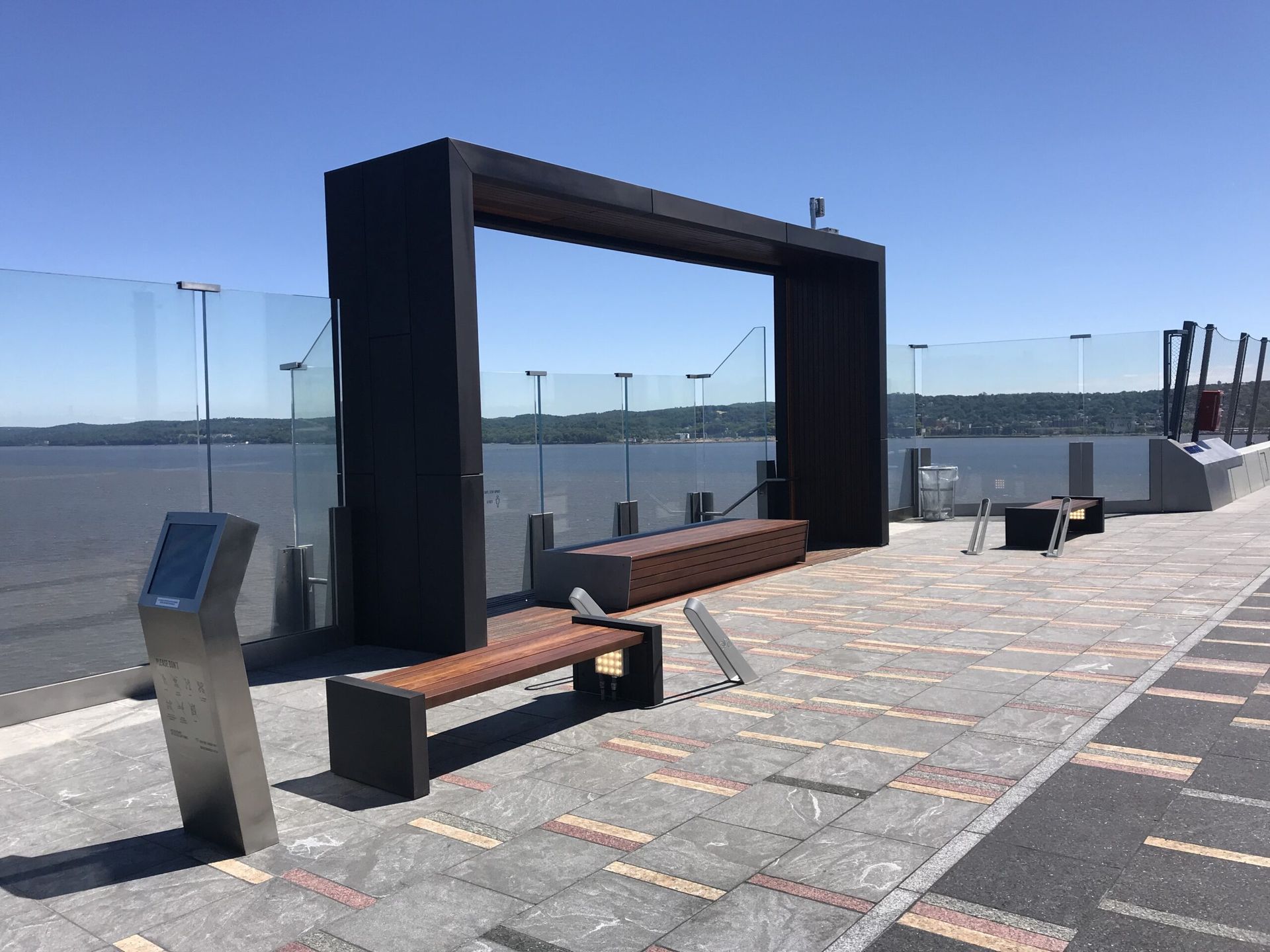
Six large structural resting places on the bridge's shared-use path, led from model to documentation with a team spread across the world.
Read the project →
Engineering the Garment District's needle and button statue to New York City's codes, with its front leg standing above the subway.
Read the project →Nigel learned on the workshop floor before he learned to code, so the tools fit the way things actually get made.
Exhibition stands, retail cabinetry and site installs before CAD. We know what a drawing has to tell the person holding it.
Automation that cuts the hours and the people a job needs, so your designers spend their time on design.
We keep supporting the code we write, and every tool comes with clear documentation, in English or Spanish.
Fabrication-ready and machine-ready models, with CNC layouts and the materials noted on them.
Your templates, your BOM layout, your details. The tools follow how your company works, not the other way round.
We ship our own apps to the public too, so we know what it takes to make software people open every day.
The same care, outside Inventor. Apps we design, build and publish ourselves.

A DJ set builder. Plan the set, pick the energy flow and get a playlist that mixes in key.
zootdj.com →
Tune, learn and write songs on guitar, from the first chord to your own song board.
strummit.app →
Jobsite photos by floor and room, snag lists with blue tape, and PDF site reports.
fieldfoto.app →VB.NET and C# against the Inventor API, and iLogic for rules inside the model. For other apps, whatever fits the job: .NET on Windows and the server, web front ends, and Kotlin for Android. We connect to SQL and Access databases and to Excel. VBA is no longer supported.
Yes. BOM automation is one of the most common jobs: the BOM is organised to your template and sent to a spreadsheet, a database or your ERP, so nobody types it in twice.
No. Inventor is our specialty, but we also build Windows desktop tools, web portals and Android apps. ZOOT, Strummit and FieldFoto are our own.
Yes. Configurators are a large part of our work, both inside Inventor (CabinetCAD) and on their own (Viper Cabinets). Tell us what you make and how you quote it today.
Yes. We are in Brownsville, Texas, and work with teams across the US and abroad, on site when the job needs it.
The Autodesk Inventor forum and the Autodesk Inventor group on Facebook, which Nigel leads as part of the Autodesk Group Network and answers in most days.
Tell us what you design, what takes too long, and what you would like to press a button for.
