 Millworker
Help / Fasteners
 Confirmat
Part
Confirmat (joint screw) holes in a butt joint, from a hole type with an edge pilot: through the side with its head, a pilot into the butting panel's end.
Set up
- Click Confirmat (Fasteners panel).
- Choose the hole type in the mini toolbar's list. Only hole types with an edge pilot are listed. The last one chosen comes up next time.
- Pick the side's inside face, its front edge, then each butting panel's face.
- Apply or OK.
Screenshot placeholder
images/confirmat-preview.png
1600 × 900 px
Side and bottom picked, Confirmat 7×50 chosen in the toolbar, red preview of countersunk holes through the side from its outside face and pilots into the bottom's end.
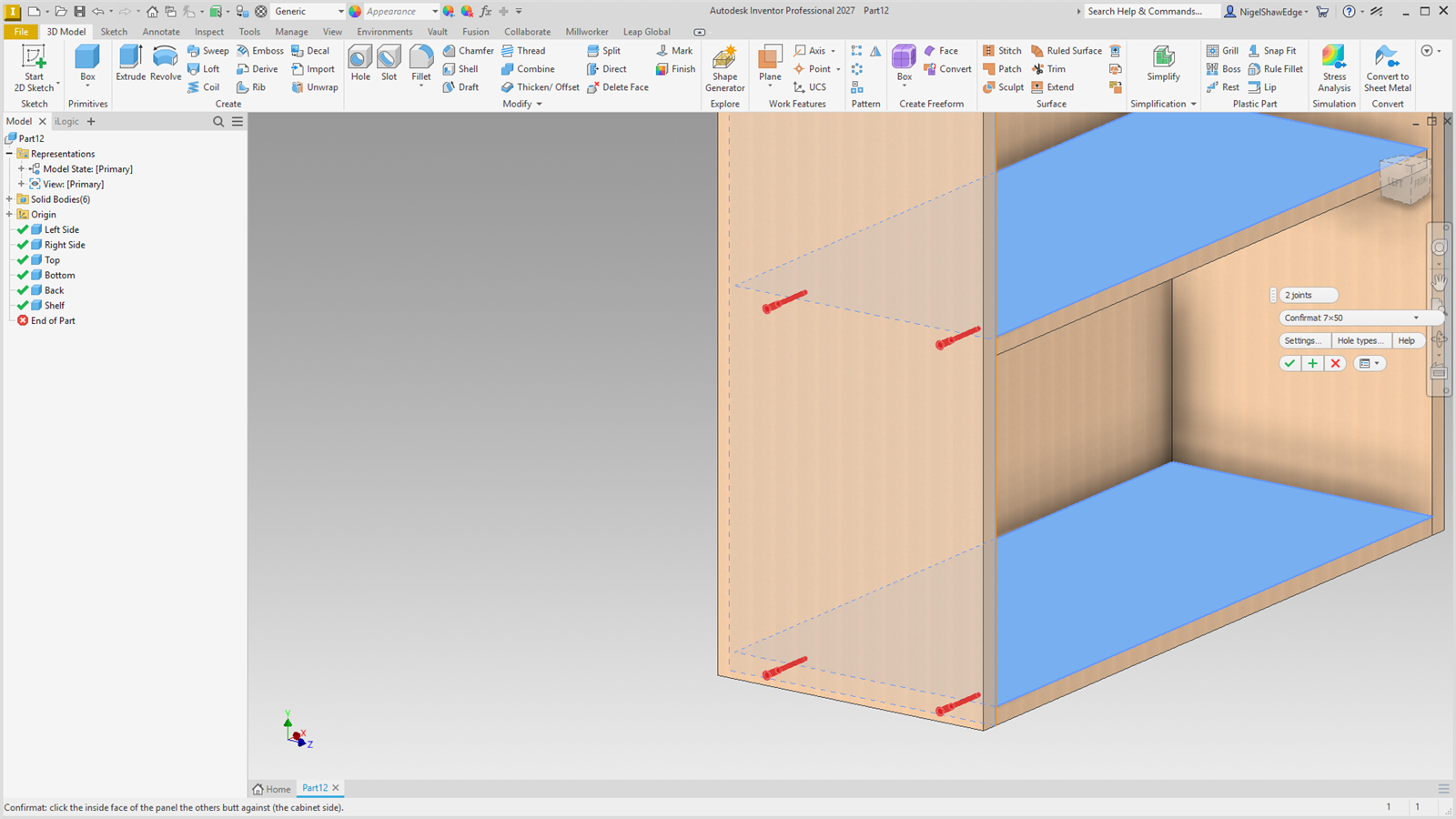
- The hole goes through the side, drilled from its outside face, with the hole type's head (countersink, counterbore or none).
- The pilot goes into the butting panel's end: the hole type's edge pilot Ø and depth.
- Every size is a parameter (MW_Confirmat1_…) in the Millworker group: change one and the holes follow.
- The holes are tagged with the hole type and its fastener, so Insert Fastener and Place Hardware put that part in.
No hole type with an edge pilot yet: the list shows Settings sizes, and the holes are made from Millworker Settings' Confirmat sizes (7 mm, countersink 10 mm at 90°, pilot 5 mm × 45 mm). Confirmat and Hardware Hole nodes made before keep their sizes and open the same way.
Fastener layout (all one-at-a-time fasteners)
Confirmat, Domino, Biscuit, Clamex P and Pocket Screws place one fastener at a time, each tool with its own layout in Settings…:
| First from each end | 50 mm (about 2″): the first and last fastener. |
| Most between | 300 mm (about 11-13/16″): more are spaced evenly between, no farther apart than this. |
| How many per joint | An exact count; 0 lets the joint's length decide. |
| Centre from inside face | 9 mm. |
Screenshot placeholder
images/confirmat-settings.png
900 × 560 px
Confirmat Settings… window showing only its own layout and screw sizes.
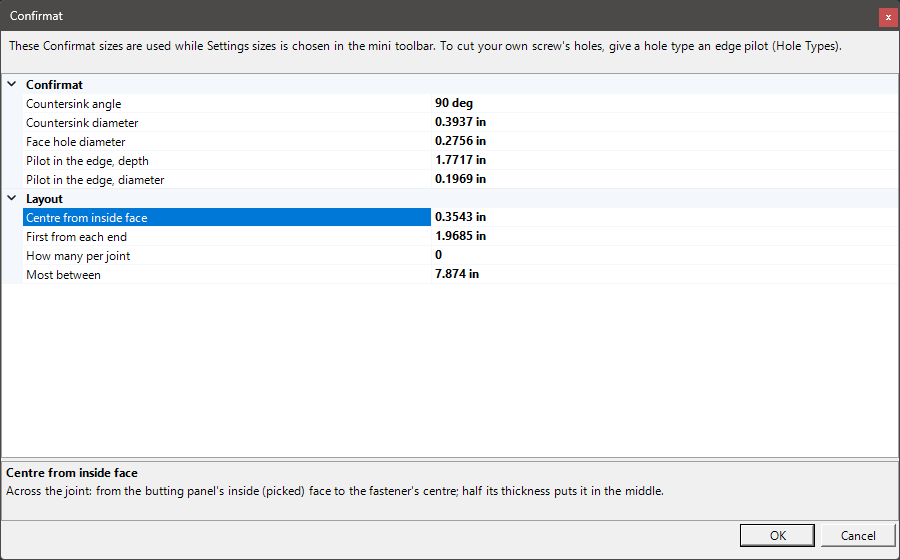
With a hole type chosen, its Settings… is the layout only. The Confirmat sizes there are used with Settings sizes; those holes are tagged by size for Place Hardware (7x50, the longest of 30–70 mm that fits).