 Millworker
Help / Joins
 Groove
Part
Cut a centred groove along board edges, run out at both ends, sized for the mating tongue plus clearance.
Set up
- A part with boards that take a tongue or a panel along an edge.
- Click Groove (Joins panel).
- Click edge faces, as many as you like.
- Set Width and Depth. The groove is cut Width plus the dado clearance wide, centred.
- Apply or OK.
Screenshot placeholder
images/groove-preview.png
1600 × 900 px
A board with an edge face picked, red groove preview centred on the edge and running out at both ends.
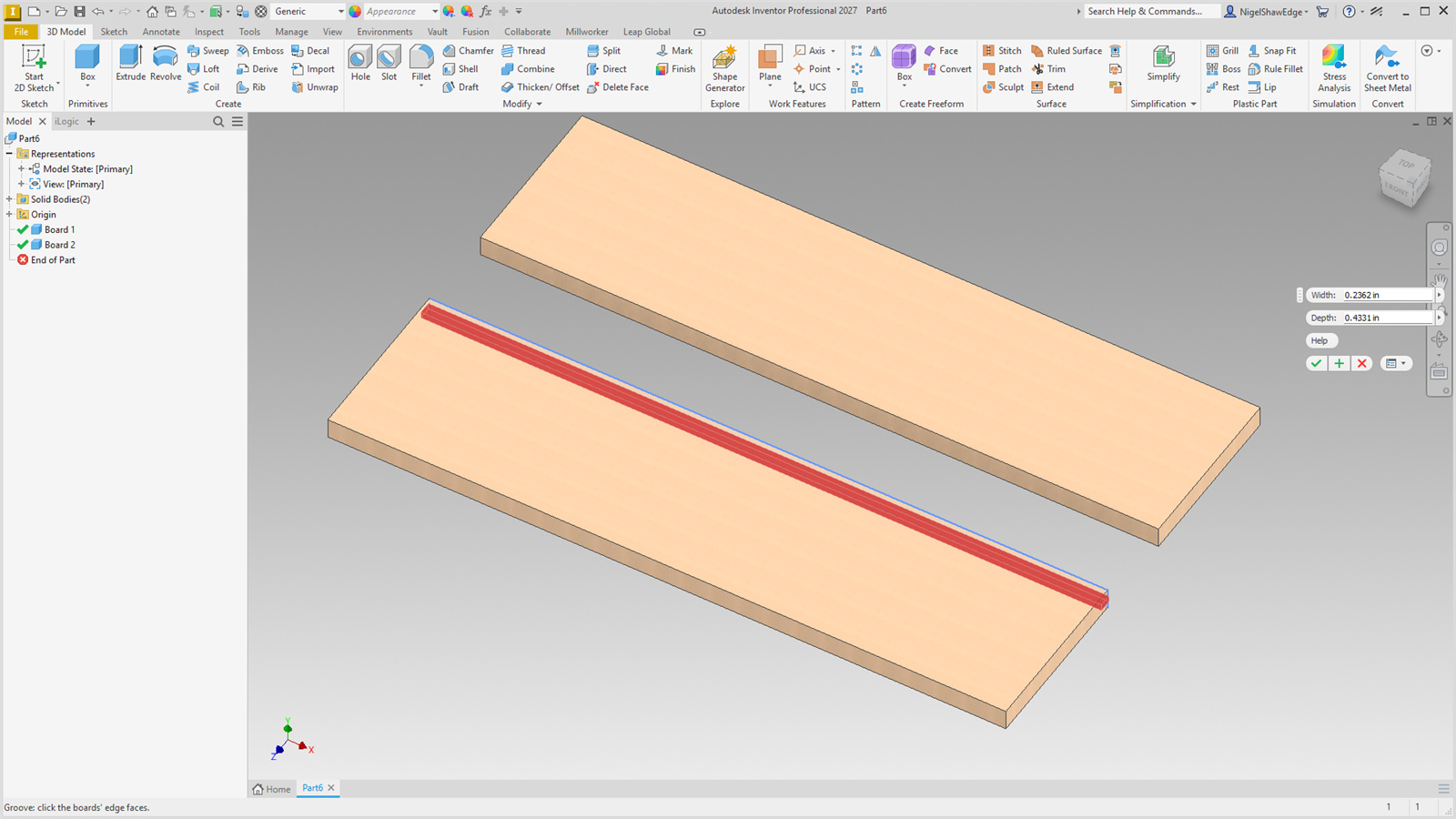
The groove runs out at both ends through all of the board, a tongue on its end included. Its sketches sit hidden inside the node, so the browser stays tidy. Nodes made with the earlier paired Tongue & Groove tool still edit as before.