 Millworker
Help / Treatment
 Copy Body
Part
Copy bodies a distance along X, Y or Z, along an edge at an angle, or along a curve, as many times as you need, kept editable.
Set up
- A part with a body to repeat: a shelf, a divider, a drawer front.
- Click Copy Body.
- Click bodies.
- Choose the direction with X, Y, Z and Flip. A triad at the first body shows it, the chosen arrow long.
- To follow a curve, press Path and click it: an edge (a rounded edge, a circle) or a sketch or 3D sketch line, arc or spline (the sketch has to be visible; joined sketch curves are followed on). The copies start from the end nearer the first body, measured along the curve; Flip starts them from the other end. Rotate (on to start) turns each copy with the curve; off, they all face the same way. Fill spreads the copies evenly over the whole path (round a closed curve, evenly all the way round) and the distance isn't used. X, Y, Z, Edge or Part go back to a straight direction.
- Set the Distance (each copy from the one before, along the curve on a path) and Copies (how many). The copies preview in blue.
- Apply or OK.
Screenshot placeholder
images/copy-body-preview.png
1600 × 900 px
A shelf picked, Z chosen, the XYZ triad at the shelf, blue copy preview 12 in up.
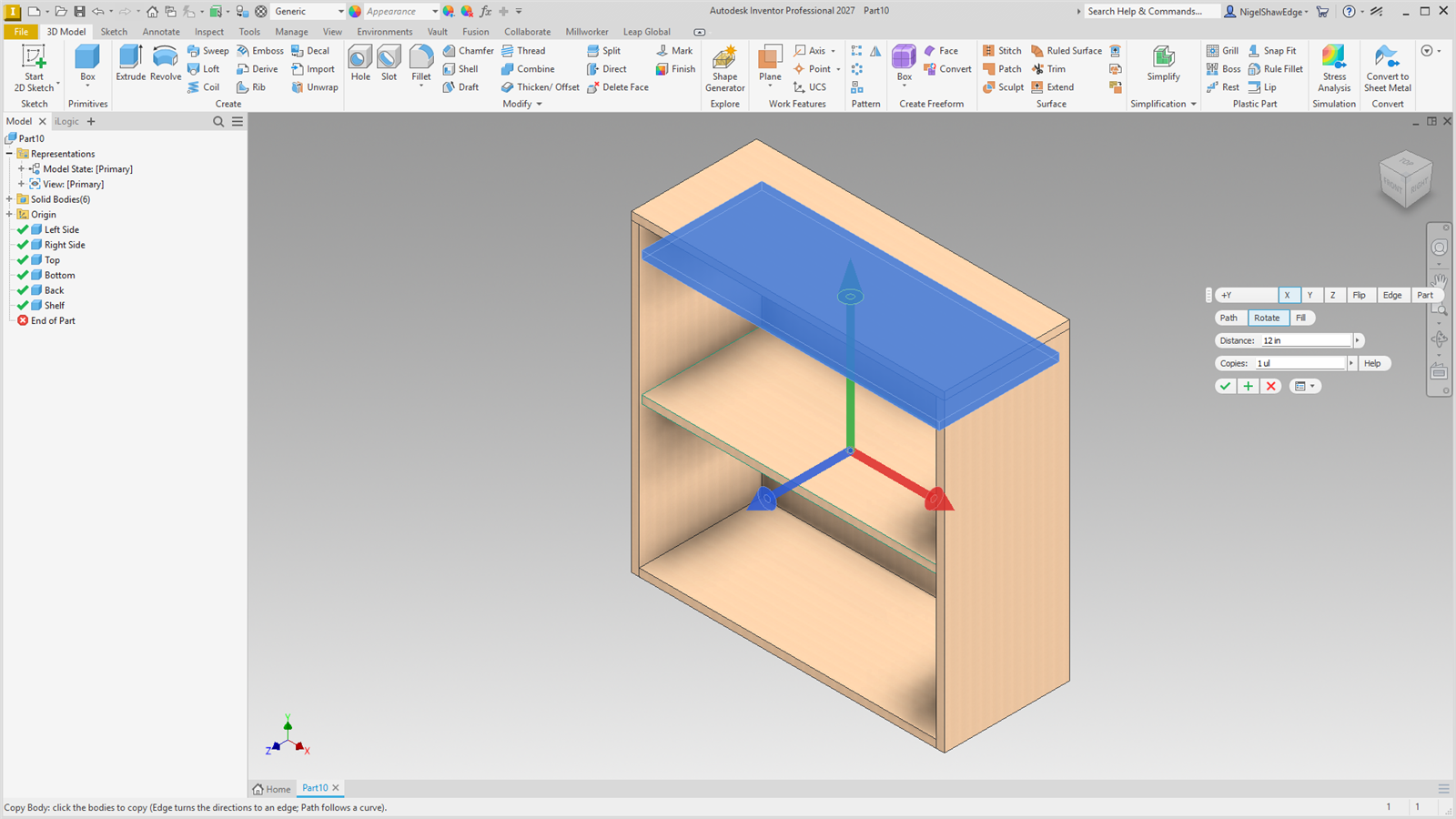
It is a rectangular pattern of the bodies (the copies and the bodies, as new bodies) along the part's axis, the edge or the path, in a CopyBody node. Along Y or Z of an edge it uses a hidden work axis tied to the edge and its face, so the copies follow if the body moves. Parameters: MW_CopyBody#_Distance and MW_CopyBody#_Copies.