 Millworker
Help / Fasteners
 Dowels
Part
Drill System 32 dowel pairs in butt joints, laid out from the cabinet side's front edge.
Set up
- A multi-body cabinet: a side and the panels that butt against it (bottom, top, fixed shelves).
Picks
- Click Dowels (Fasteners panel).
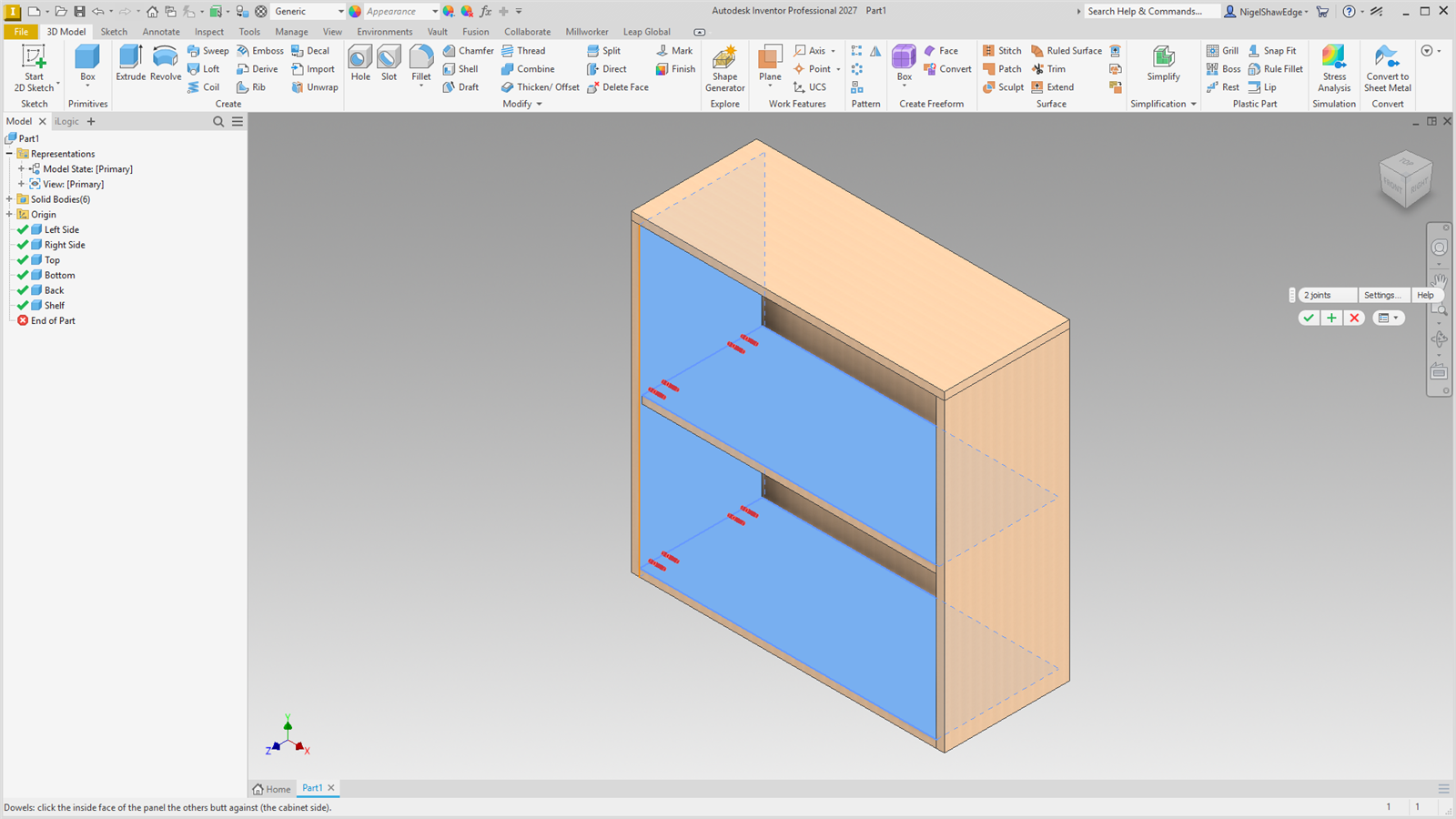
- Click the inside face of the panel the others butt against (the cabinet side).
- Click its front edge: the reference the layout is measured from.
- Click the inside face of each butting panel. Click one again to take it back. Every joint previews.
- Apply drills them and carries on with a new side; OK drills and finishes.
Screenshot placeholder
images/dowels-picks.png
1600 × 900 px
Cabinet with the left side's inside face (soft blue) and front edge (orange) picked, the bottom and top inside faces picked, red dowel hole previews at both joints.
Layout
- Holes go in pairs, 32 mm apart.
- The first hole is 37 mm from the side's front edge, whatever the butting panel's own setback. The last pair is 37 mm from the joint's back end.
- More pairs sit between on the 32 mm grid when the joint is longer than Most between pairs (256 mm).
- Across each joint, every centre is 9 mm in from the butting panel's inside face.
- Dowels: 8 mm, 12 mm into the face and 25 mm into the edge.
Settings…
Settings… in the mini toolbar sets the starting values. Pairs per joint:
| 0 | As many as fit under Most between pairs. |
| 1 | One pair in the middle. |
| 2 or more | One pair the first-hole distance from each end, the rest spread evenly between on the 32 mm grid. The spread is a round(…) of the joint's length, so pairs re-spread when a panel changes size. |
Screenshot placeholder
images/dowels-settings.png
900 × 640 px
Dowels Settings… window: layout (Setback, Pitch, Most between pairs, Pairs per joint, From inside) and hole sizes.
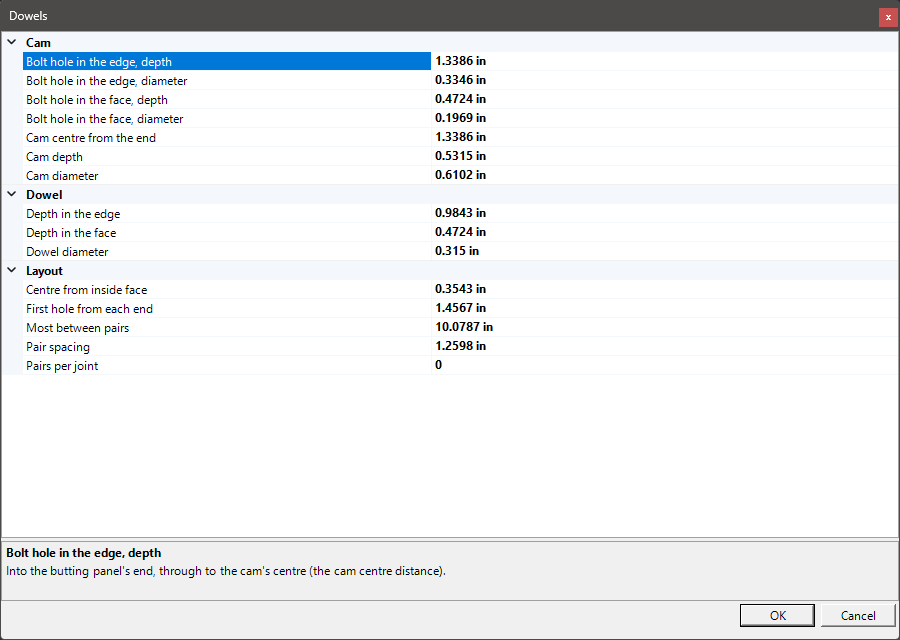
Every size is a parameter MW_Dowels#_… (Setback, Pitch, FromInside, each hole's diameter and depth), and each hole's sketch is dimensioned to the joint, so the holes move with the panels. Each hole is tagged for Place Hardware (a dowel, 8x35).