 Millworker
Help / Joins
 Dado Join
Part
Cut a dado in the master panel and run the panels into it, however they sit: overlapping, touching or short of it.
Set up
- A multi-body part: a master panel (a cabinet side, a top) and the panels going into it (bottom, shelves, sides) at right angles to it.
- They can sit any way: running into or through the master (as Panel Maker leaves them at a corner, both filling the corner), their end on the master's face, or short of it with a gap. Nothing needs doing to them first.
- Click Dado Join (Joins panel).
- Click the master panel: the one the dado is cut into.
- Click the panels going into it, as many as you like (click one again to take it back).
- Check the Depth (starts as
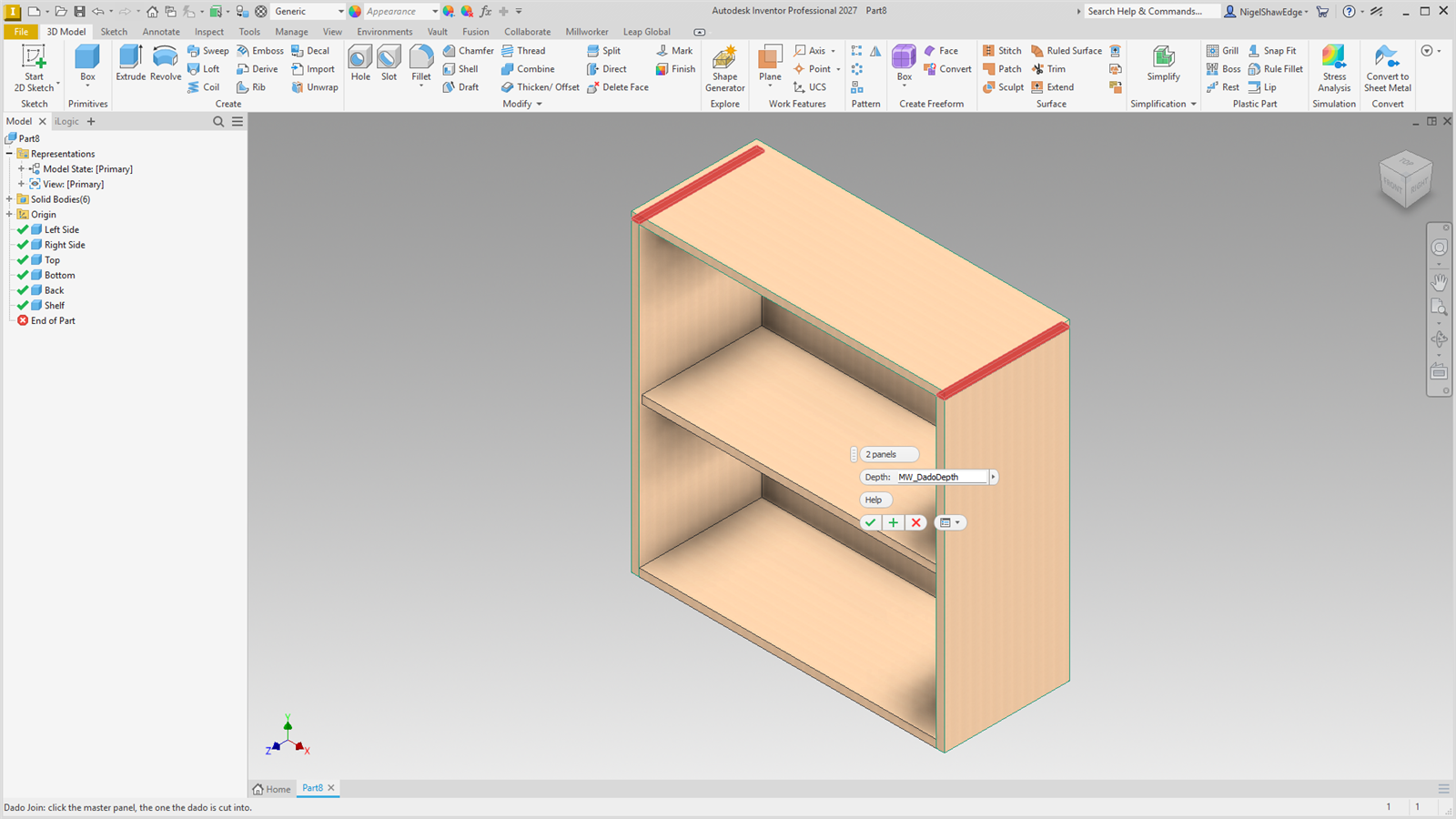
MW_DadoDepth, 1/4″). The dados preview in red, and anything cut off a panel that ran too far in shows in orange. - Apply to carry on, or OK to finish.
Screenshot placeholder
images/dado-join-preview.png
1600 × 900 px
A Panel Maker box: top picked as the master, the two sides picked to go into it. Red dados in the top's underside, orange where the sides ran up through the corner.
What it makes
- Each panel is made to end the depth into the master: trimmed there where it runs further in (a hidden work plane the depth into the master's face), and thickened on first where it falls short.
- The master is cut by the panel: the dado (a rabbet when the panel sits at the master's edge).
- Clearance: the dado's two walls are each cut back
MW_DadoClearance / 2, so the slot is wider than the panel. The tongue stays the panel's own thickness. - CAM Corners: a dado that stops inside the panel gets dog ears in its square inside corners, the cutter's radius (
CAM_RADIUS, 1/8″), as a CAM Corners node of its own. A dado that runs out at both edges gets none. - One node per panel; double-click it to change the depth.