 Millworker
Parameters and MW_ names
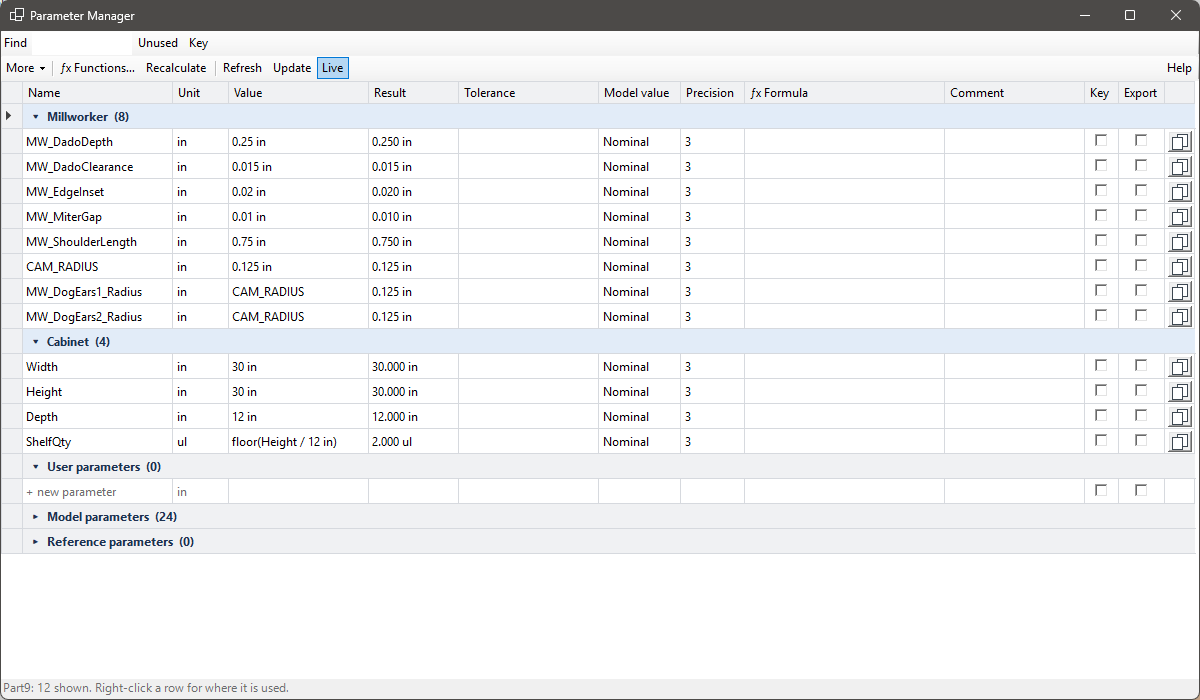
Every size a tool makes is a user parameter in the part's Millworker group, so changes follow through.
Millworker never types a fixed number into a feature. Every size, depth and distance a tool makes is a user parameter in the part's Millworker parameter group. Change the parameter and every feature that uses it updates.
Shared part parameters
The first time a tool runs in a part it adds these, set from Millworker Settings:
| Parameter | Default | Used by |
|---|---|---|
MW_DadoDepth | 1/4″ (0.25 in) | Dado Join, Dado Edge |
MW_EdgeInset | 0.02 in | Edge Inset |
MW_MiterGap | 0.01 in | Miter Join |
MW_DadoClearance | 0.02 in | Dado Join, Dado Edge, Halving, Groove, Shaker Door |
MW_ShoulderLength | 0.75 in | Stop Shoulder |
CAM_RADIUS | 0.125 in | CAM Corners, Stop Shoulder, Dado Join, Halving |
Each tool's own parameters
A value box with a parameter's name in it uses that parameter. Anything else typed becomes the tool's own parameter, named MW_Tool#_What: MW_DadoEdge1_Depth, MW_EdgeInset1_Inset, MW_PanelMaker1_Thickness, MW_Dowels2_Setback.
Only counts (dowel pairs, shelf hole rows, holes per row, middle hinges) and the 118° drill point are fixed when a feature is made.